


Devil May Cry Mobile (CN) Final Test Tutorial
We are preparing an English guide to help you get into the Devil May Cry Mobile final test!
Here we go!
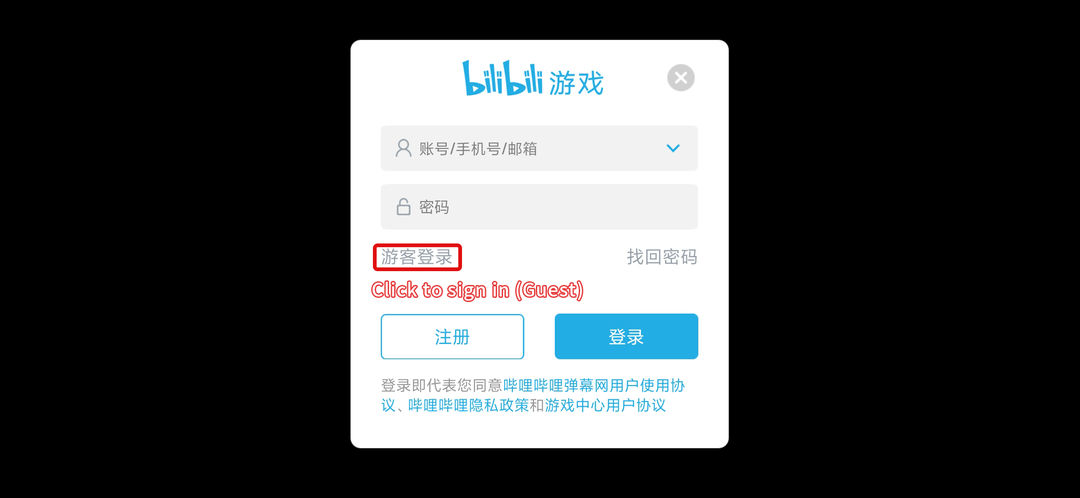
[b][Login Guide]
[/b]1. Click the 'Guest' option and sign in
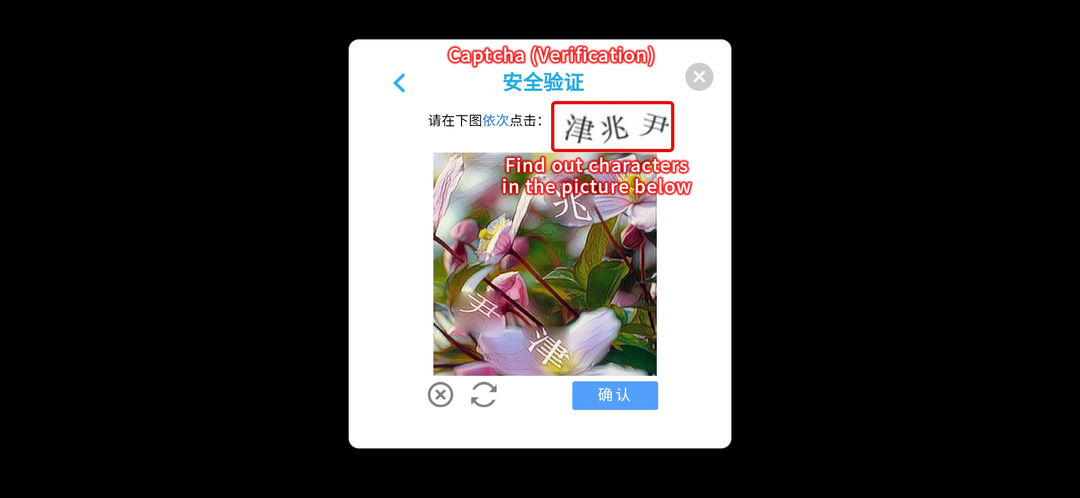
2. You might need to finish this Captcha process.
∙ Find the characters in the picture below and click them in order
∙ And then click the blue button to confirm.
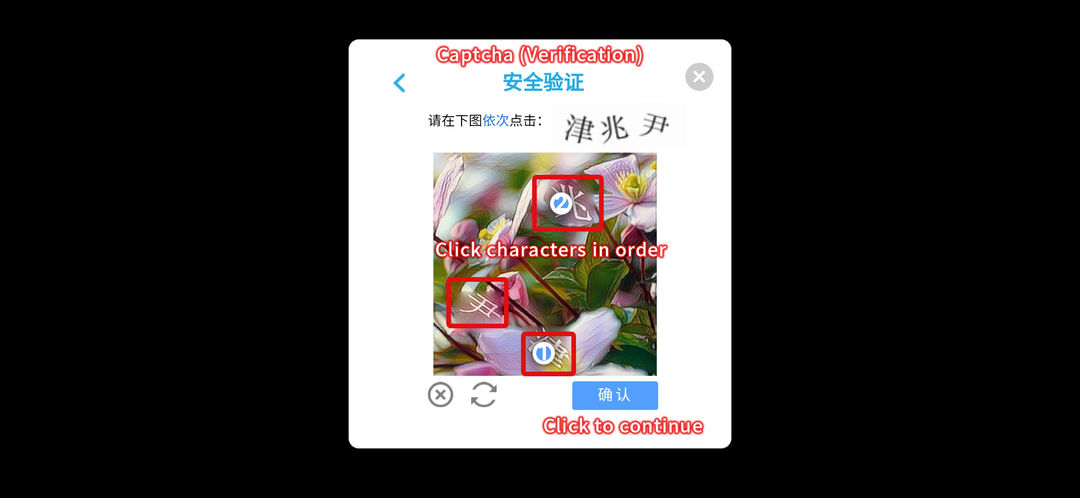
3. You now login successfully!
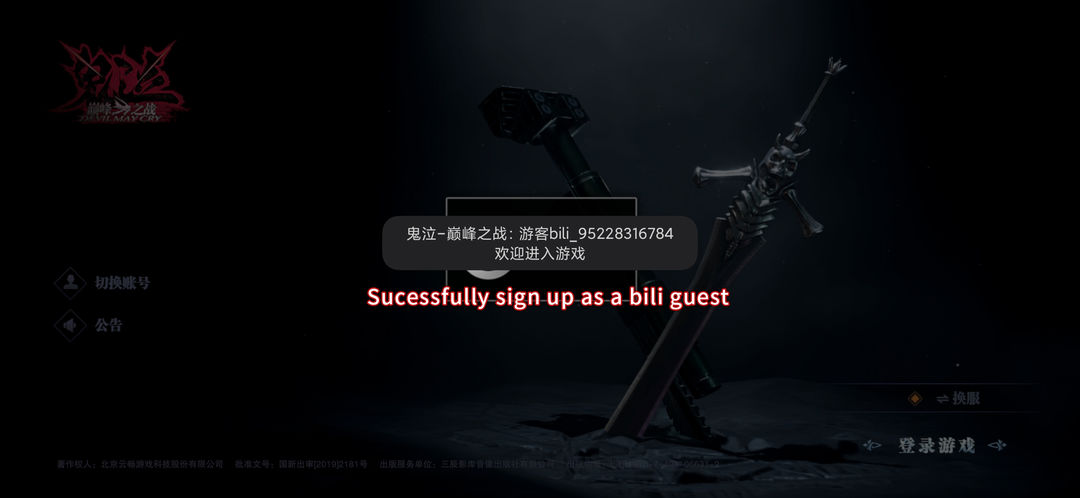
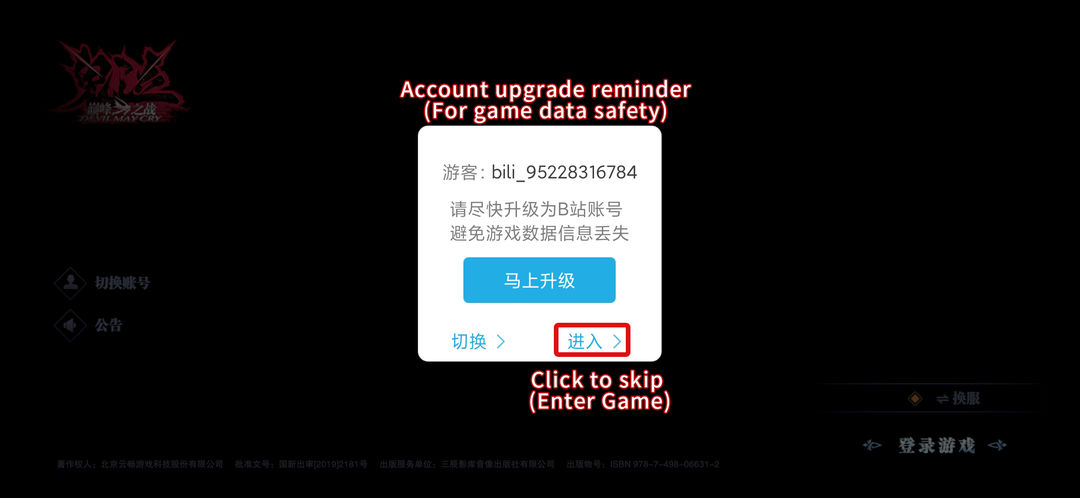
4. Note: If you quit and re-enter the game, you will see this message.
Click the button on your right (see below) and enter the game.
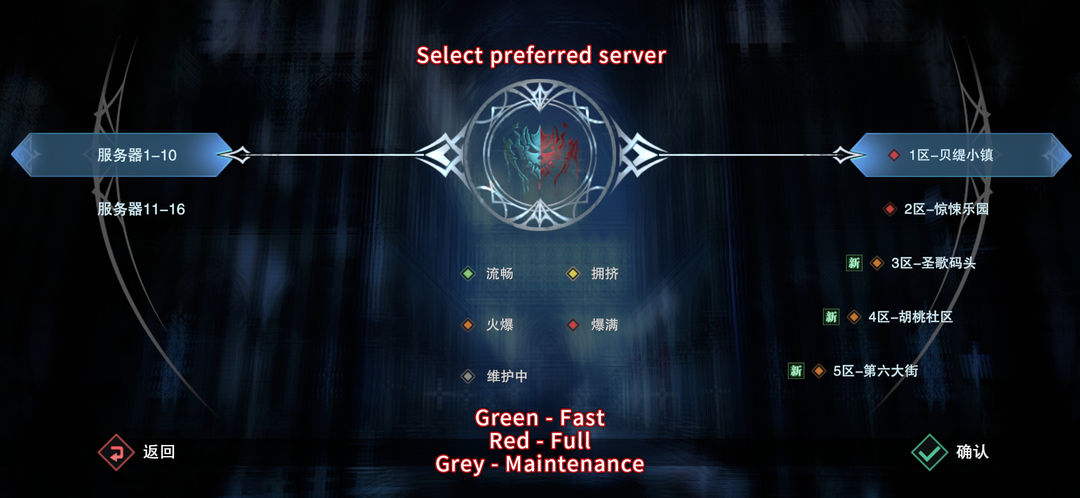
5. Choose a server. The green ones are recommended.
Mentioned games